Blogs to help you understand AI

  • How Students Are Using AI to Study Smarter, Not Harder

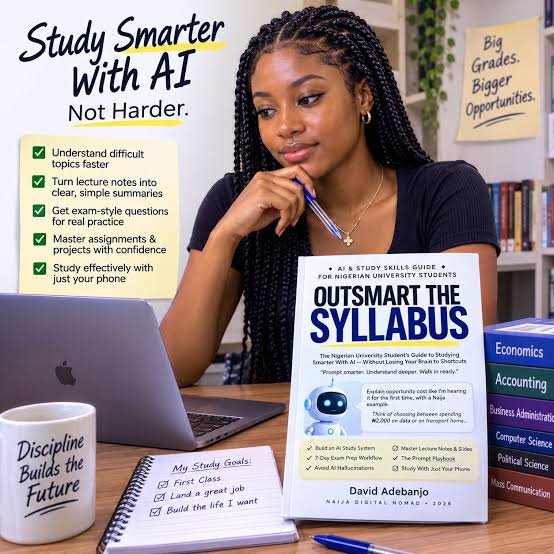
    Gone are the days when students had to spend 5 hours in the library searching for answers in heavy books. Today’s smart students are not studying more hours, they are studying smarter hours with the help of AI. They have understood that in 2026, success is not about memorizing everything, but about knowing how to use the right tools to learn faster, remember better, and perform under pressure.

    The biggest change is in how students understand difficult topics. Earlier, if you didn’t understand a chapter in physics or economics, you had to wait for tuition the next day. Now, students simply ask Meta AI or ChatGPT, “Explain Newton’s 3rd law like I am 15 years old with a Virar local train example.” AI instantly breaks down complex topics into simple language, with diagrams, examples, and even in Hindi or Marathi. It becomes a personal tutor who never gets tired, never scolds, and is available at 2 AM before the exam.

    AI has also become the best friend for making notes and revisions. Students no longer write 50-page notebooks. They upload a PDF, a YouTube lecture link, or even a photo of handwritten notes, and AI summarizes it into a one-page cheat sheet with key points, definitions, and important questions. Tools like Notion AI and Quillbot help them turn those points into flashcards, mind maps, and quizzes. So instead of reading the same chapter 5 times, they revise it once smartly and test themselves with AI-generated questions.

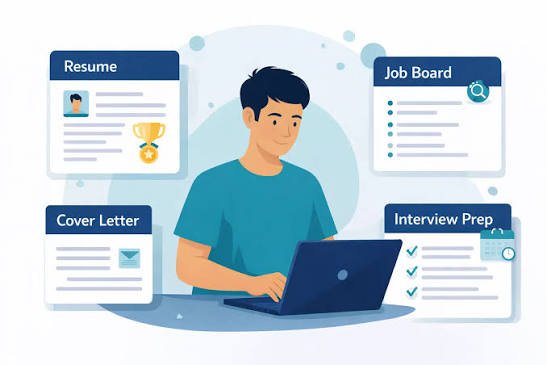
    For homework, projects, and exams, AI is saving hundreds of hours. Students use AI to check their grammar, improve their essay writing, and create professional presentations in minutes. If they are learning to code, AI debugs their code instantly. If they are preparing for interviews or group discussions, they practice with AI as the interviewer. It gives them instant feedback on their English, confidence, and answers. This is especially helpful for students in small towns who don’t have access to expensive coaching classes.

    However, the smartest students are not using AI to copy and paste answers. They are using it to learn the method. For example, they don’t ask “Write my assignment.” They ask “Give me 5 points for my assignment on climate change and explain each point so I can write it in my own words.” This way, they are actually learning faster. They use AI to understand, then they use their own brain to create. This is the difference between studying harder and studying smarter.

    In the end, AI has leveled the playing field. A student in Virar now has the same quality of teacher and resources as a student in Delhi or New York. The students who will win in the future are not those who fear AI or depend on it completely, but those who know how to use it as a study partner. AI will not give you marks, but it will give you the extra 2 hours, better notes, and clear concepts that help you get those marks yourself.

    How are students using AI to understand difficult subjects quickly?

    They don’t mug up anymore. If a topic is hard, they ask AI “Explain this like I’m 12 years old” or “Explain with a cricket example.” For example, “Explain Photosynthesis with a kitchen example in Hindi.” AI breaks big definitions into simple stories, with diagrams and local examples, so a 2-hour chapter is understood in 10 minutes.

    How does AI help in making notes and revision?

    Smart students don’t write 40-page notes now. They upload their textbook PDF or a YouTube lecture link to AI tools like Notion AI or ChatTube, and AI makes a 1-page summary with key points, formulas, and important questions. It also makes flashcards and quizzes automatically, so revision happens 3x faster before exams.

    Can AI help me with homework and assignments without cheating?

    Yes, if you use it correctly. Don’t ask “Do my homework.” Ask “Give me 5 ideas for my environment project and explain how I can write it in my own words.” AI gives you structure, points, and sources. You learn the concept and then write it yourself. Teachers appreciate original work, not copied work.

    How are students using AI to improve their English and communication?

    Many students in Maharashtra feel shy to speak English. Now they practice daily with Meta AI for 10 minutes. They say “Talk to me like an interviewer” or “Correct my grammar in this paragraph.” AI corrects them instantly without judging, which builds confidence much faster than a classroom.

    How does AI help in exam preparation and time management?

    Students feed their syllabus to AI and say “Make a 30-day study plan for me, 2 hours daily.” AI creates a timetable with easy to hard topics, daily revision slots, and mock tests. Before the exam, it generates predicted questions and takes a quick viva: “Ask me 10 questions from this chapter.” It’s like a personal exam coach.

    Can AI help with practical subjects like Math, Coding, and Science?

    Absolutely. For Math, you can take a photo of a sum and AI shows you a step-by-step solution, not just the answer. For coding, if your code has an error, AI debugs it and explains why the error came. For Science, it can generate 3D diagrams and simple experiments you can do at home.

    How are students using AI to make presentations and projects?

    Earlier a good PPT took 4-5 hours. Now students use Canva AI, Gamma, or Copilot. They just type “Make a 10-slide PPT on Chandrayaan-3 with images,” and AI makes a professional design in 2 minutes. They save time for actual speaking practice instead of designing slides.

    Does using AI make students lazy or less intelligent?

    It depends on how you use it. If you just copy-paste, you become lazy. But if you use AI to understand concepts, get ideas, and then create your own answer, you become smarter. The smart formula is: AI for Understanding (40%) + Your Brain for Creating (60%) = Top Marks. Teachers can easily catch full AI-written work.

    What are the best free AI tools every Indian student should have?

    You only need 4 free tools to start: 1) Meta AI / ChatGPT – for doubts and explanations. 2) Grammarly – for English correction. 3) Notion AI / Quizlet – for notes and flashcards. 4) Canva AI – for projects and PPTs. All have free plans and work on your phone, no laptop needed.

    How can I start studying smarter with AI from tomorrow?

    Follow this 3-step routine: Morning – Before class, ask AI to give you 5 key points of today’s topic so you are prepared. Evening – After class, upload your notes and ask AI to make a quiz. Night – 10 mins English speaking practice with AI. Do this for 7 days and you will see you are studying less but remembering more.

  • How AI Manages Your Emails, Calendar and Meetings Automatically

    In today’s busy life, managing emails, calendars, and meetings feels like a second job. An average office worker spends almost 3 hours every day just checking emails and fixing meeting times. This is where AI has become a game-changer. Instead of you managing your schedule, AI now manages it for you, quietly in the background, so you can focus on your real work.

    Let’s start with emails. AI email assistants like Gmail’s Smart Reply, Superhuman, or Microsoft Copilot have completely changed how we handle our inbox. AI automatically sorts your emails into important, spam, and promotions, so you don’t miss anything urgent. It reads long email threads and gives you a one-line summary – “Your boss is asking for the sales report by 5 PM.” It can even write replies for you in your own style. You just have to type “Reply positively and say I will send it by 4 PM,” and it drafts a professional email. It also reminds you if you forgot to reply to someone or if someone didn’t reply to you.

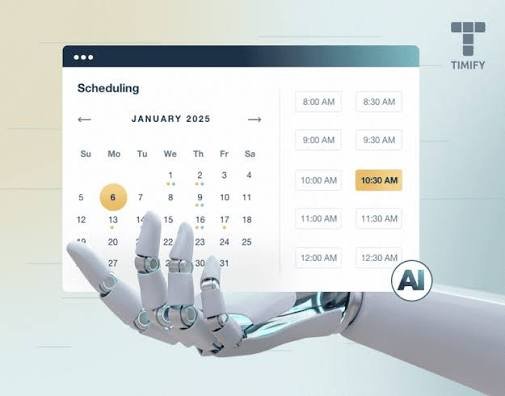
    The calendar is the second area where AI saves you hours. An AI calendar doesn’t just show dates; it thinks for you. If you tell it “Fix a meeting with a client next week,” it checks your free slots, checks your travel time, and suggests the best time. Tools like Motion, http://Reclaim.ai, and Google Calendar with AI will automatically block time for deep work, lunch, gym, and even travel between meetings. If you are in Virar and have a meeting in Andheri at 3 PM, it will automatically block 2 PM to 3 PM as travel time and warn you to leave early if there is traffic on the Western line.

    The most powerful use of AI is in managing meetings themselves. We all know the pain of “What time works for you?” going back and forth in 10 emails. AI scheduling links like Calendly with AI or Microsoft’s FindTime solve this instantly. You just send one link, and the other person can book a slot that works for both. During the meeting, AI tools like http://Otter.ai, Fireflies, or Zoom AI Companion join automatically, record the meeting, take notes, and send you a full summary with action items – “You have to send the proposal, Rahul has to fix the design.” You don’t need to write a single note.

    What makes this even smarter is how all three work together. For example, if you get an email saying “Can we meet tomorrow to discuss the Bombay Foods project?”, AI understands it, checks your calendar, finds a free slot tomorrow at 11 AM, drafts a reply “Yes, 11 AM works, I am sending you the invite,” and creates a calendar invite with a Google Meet link automatically. This entire process that used to take 15 minutes now happens in 15 seconds with one click.

    In the end, AI is not just managing your emails, calendar, and meetings; it is giving you back your mental peace. You no longer wake up worried about missing an important email or double-booking a meeting. Your day is planned, your inbox is clean, and your meetings have clear outcomes. For anyone who feels they have too much to do in too little time, letting AI manage these three things is the simplest way to get 2 extra productive hours every single day.

    How does AI help me manage hundreds of emails daily?

    AI acts like a smart secretary for your inbox. It automatically sorts emails into Important, Social, and Spam. Gmail’s AI gives you a one-line summary of long emails, so you don’t have to read 20 messages in a thread. It also drafts replies in your style. You just type “reply politely and decline,” and it writes a full professional email for you in 2 seconds.

    Can AI really write emails for me? Will it sound like me?

    Yes. Tools like Gmail Smart Compose and Microsoft Copilot learn how you write – your tone, your words, even your common sentences. After 1-2 weeks, it starts writing exactly like you. For example, if you often write “Kindly do the needful,” it will start suggesting the same. You just have to press Tab to accept.

    What if I forget to reply to an important email?

    AI will not let you forget. It has a feature called “Nudge.” If you didn’t reply to your boss’s email for 2 days, it will bring it back to the top of your inbox with a reminder – “You haven’t replied to this yet.” It also reminds you if someone else didn’t reply to your email, saying “Should I follow up?”

    How does AI manage my calendar better than me?

    A normal calendar only shows time, but an AI calendar thinks. If you have a meeting in Andheri at 3 PM and you live in Virar, AI automatically blocks 1 PM to 3 PM for travel and warns you about traffic. Apps like http://Reclaim.ai automatically block time for lunch, gym, and focused work, so nobody can book a meeting during that time.

    How does AI solve the problem of finding a common meeting time?

    It ends the endless “What time works for you?” messages. You just send your AI scheduling link from Calendly or Google Calendar. The other person sees only your free slots and books one. AI checks both calendars, time zones, and even adds buffer time automatically. One link, no back-and-forth emails.

    Can AI attend meetings for me and take notes?

    Yes, and this is a huge time saver. Tools like http://Otter.ai, Fireflies, and Zoom AI Companion join your Google Meet or Zoom call automatically. They record, transcribe, and after the meeting, send you a summary like: “Meeting with client – 3 decisions, 4 tasks. Your task: Send a proposal by tomorrow.” You don’t have to write anything during the meeting.

    What happens if I have two meetings at the same time?

    AI prevents double-booking. If someone tries to book when you are already busy, it automatically suggests your next free slot. Some advanced tools will even check the priority – if a client meeting clashes with an internal meeting, it will suggest rescheduling the less important one and draft a polite reschedule email for you.

    How does AI connect email and calendar together?

    This is the smartest part. If you get an email saying “Can we meet tomorrow to discuss Bombay Foods website?”, AI understands the intent. It checks your calendar, finds tomorrow’s 11 AM is free, creates an invite with a Meet link, and drafts a reply “Yes, 11 AM works, invite sent.” You just click Send. 5 minutes of work done in 5 seconds.

    Is it safe to let AI read my emails and calendar?

    Yes, if you use trusted tools like Google, Microsoft, or Zoho. They use enterprise-level encryption and do not use your private data to train public AI models. You can also control it – you can turn off email reading or only allow it to read meeting invites. Always use official apps and avoid giving access to unknown third-party tools.

    Which free AI tools can I start using today?

    You don’t need to pay to start. Use these 3 free tools today: 1) Gmail AI – already in your Gmail for sorting and smart replies. 2) Google Calendar AI – Turn on “Working Hours and Focus Time” in settings. 3) http://Otter.ai free plan – Gives you 300 mins of free meeting notes per month. Just connect them once, and they will start managing everything automatically.

  • How AI Can Help You In Your Daily Life

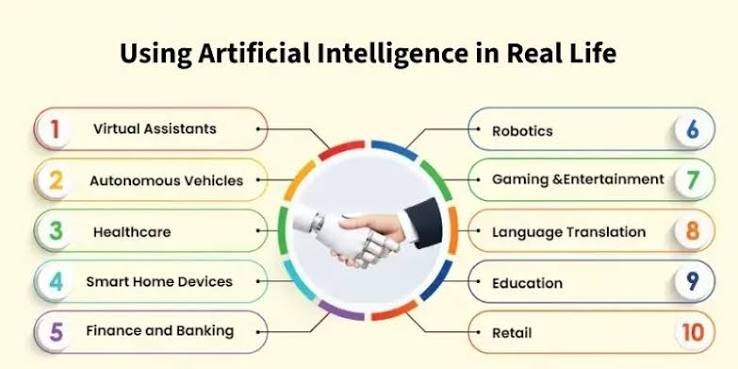
    Artificial Intelligence is no longer a futuristic concept from science fiction movies. It has quietly become a part of our everyday routine, like an invisible helper working in the background. From the moment you wake up and your phone shows you the weather and traffic update, to the moment you sleep while your phone is on silent mode automatically, AI is helping you make better and faster decisions without you even noticing it.

    One of the biggest ways AI helps us is by saving time and increasing productivity. Think about your work or studies. Instead of spending hours writing an email, making a presentation, or searching for information on Google, you can ask an AI tool like Meta AI to do it in seconds. It can summarize long articles, create your to-do list for the day, manage your calendar, and even remind you to attend a meeting. For students, AI works like a personal tutor who is available 24/7 to explain difficult topics, help with homework, and prepare for interviews.

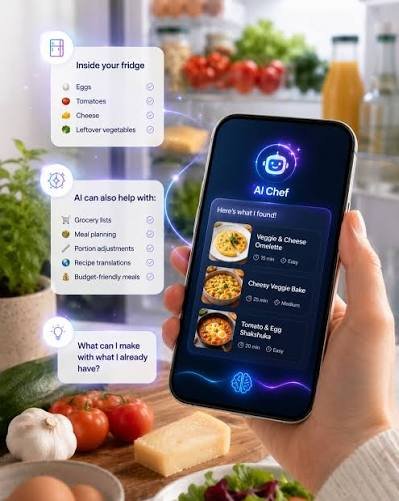
    AI has also made our home life much smarter and easier. Your smart home devices use AI to learn your habits. They know when you usually switch on the AC, when you like dim lights, and when you want to play music. In the kitchen, AI apps can suggest recipes based on what vegetables you have in your fridge, so you don’t waste food. When you shop online, AI shows you the best deals and prevents you from overspending. Even planning a trip to Lonavala or Goa has become easy, as AI can create a full itinerary, budget, and hotel list in one minute.

    In terms of health and personal growth, AI is like a free coach. Fitness apps use AI to count your steps, track your sleep, and create a diet and workout plan according to your body type. If you want to learn English, exercise daily, drink more water, or manage stress, there is an AI app that will remind you and guide you. Many people in India are now using AI to practice communication skills and to get mental health support when they feel lonely or anxious, without any judgment.

    Most importantly, AI gives power to ordinary people to do extraordinary things. A small shop owner in Virar can now use AI to create posters, write product descriptions, and run ads that earlier only big companies could do. A housewife can start a YouTube channel and use AI to edit videos and write scripts. A creator can turn an idea into a photo or video without learning complex software. AI does not replace your talent; it multiplies it.

    In the end, AI is not here to take your job or control your life. It is a tool, just like a smartphone or the internet. If you use it wisely, it can give you back what we all lack today – time, energy, and peace of mind. The real question is no longer whether you should use AI, but how smartly you can use it to make your daily life simpler, healthier, and happier.

    How can AI help me save time in the morning?

    AI can be your morning assistant. Your phone’s AI alarm learns your sleep cycle to wake you up at the right time. It shows you today’s weather, traffic from Virar to your office, and your meetings for the day. Google Assistant or Meta AI can even read out the news while you get ready, so you don’t have to scroll.

    Can AI help me with my studies or office work?

    Yes, this is its biggest use. AI can summarize long PDFs, make presentations, write professional emails, and explain any topic like a personal tutor. A student can ask “Explain photosynthesis in simple Hindi” and get an answer in 5 seconds. It turns 3 hours of work into 20 minutes.

    How does AI help in the kitchen or shopping?

    AI apps can see what is in your fridge and suggest recipes so food is not wasted. When you shop online on Amazon or Flipkart, AI finds you the best price, suggests your size, and warns you about bad reviews. It helps you save both money and time.

    Is AI useful for health and fitness?*

    Absolutely. AI fitness apps like HealthifyMe or FitBit create a diet and workout plan based on your weight and goal. It tracks your steps, sleep, water intake, and reminds you to take medicines. Some apps can even check your heart rate through your phone camera.

    Can AI help me manage my money?

    Yes. AI budgeting apps track your UPI and bank spending automatically and tell you “You spent 40% on food this month.” It can help you create a monthly budget, remind you to pay bills, and suggest where you can invest your savings.

    How can a normal person use AI at home?

    If you have a smart TV, Alexa, or Google Home, you are already using AI. You can say “Lights off,” “Play Arijit Singh,” or “AC on at 24 degrees.” AI learns your routine and does it automatically. It also secures your home by alerting you if an unknown person is at the door.

    Can AI help me learn English or any new skill?

    This is one of the best uses. You can practice English speaking with Meta AI for 10 minutes daily without feeling shy. You can say “Correct my grammar” or “Talk to me like an interviewer.” Same for coding, cooking, or dancing – AI becomes a 24/7 free teacher.

    How is AI helpful for travel?

    Plan a 2-day trip to Mahabaleshwar under Rs. 5000.” It will give you a full plan with train times, hotels, places to visit, and what to pack according to the weather. It also translates languages when you travel.

    Will AI take my job? Should I be scared of it?

    No, AI will not take your job, but a person who knows how to use AI will. AI cannot replace your creativity, emotions, and human touch. It only removes boring, repetitive work so you can focus on important work. Think of it as a calculator – it didn’t replace mathematicians, it made them faster.

    What is the easiest way to start using AI daily?

    Start with 3 simple habits. 1) Use Meta AI / ChatGPT instead of Google for any doubt. 2) Use an AI app to plan your tomorrow night. 3) Use AI to write one difficult message or email daily. Within 7 days, you will save at least 1 hour every day.

  • Hello world!

    Welcome to WordPress. This is your first post. Edit or delete it, then start writing!